Template Engine Thymeleaf
Spring Boot MVC mendukung Thymeleaf sebagai template engine yang populer digunakan untuk menyajikan tampilan (User Interface) pada halaman web Spring MVC. Selain itu Spring Boot mendukung beberapa template engine di antaranya:
1️⃣ Tambahkan Dependency
- Tambahkan juga templating engine Thymeleaf:
<dependency>
    <groupId>org.springframework.boot</groupId>
    <artifactId>spring-boot-starter-thymeleaf</artifactId>
</dependency>
2️⃣ Buat Controller
- Buat class Java contoh
HelloControllerdisrc/main/java/... - Gunakan anotasi
@Controllerdan@GetMappinguntuk memetakan URL ke method:
import java.time.LocalDateTime;
import org.springframework.stereotype.Controller;
import org.springframework.ui.Model;
import org.springframework.web.bind.annotation.GetMapping;

@Controller
public class HelloController {

	@GetMapping("/hello")
	public String sayHello(Model model) {
		model.addAttribute("theDate", LocalDateTime.now());
		return "hello";
	}
}
3️⃣ Buat View
Buat file hello.html di src/main/resources/templates/:
<!DOCTYPE html>
<html xmlns:th="http://www.thymeleaf.org">
	<head>
		<title>Demo Spring MVC</title>
	</head>
	<body>
		<p th:text="'Time is: ' + ${theDate}"/>
	</body>
</html>
4️⃣ Jalankan Aplikasi
- Buka terminal di root project.
- Jalankan dengan perintah Maven:
mvn spring-boot:run. - Buka browser dan akses http://localhost:8080/hello.
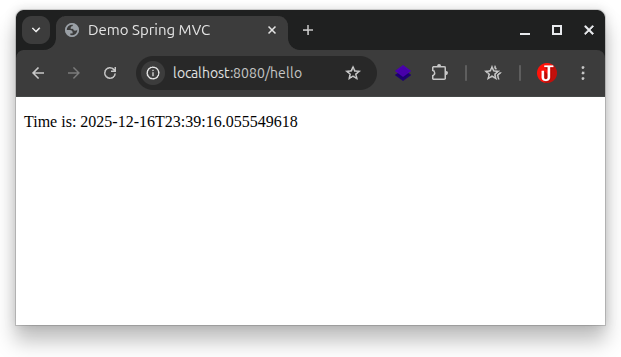
Dengan langkah-langkah ini, kita sudah memiliki project Spring Boot MVC dengan template engine Thymeleaf.